
JAMB COMPUTER BASED TEST
How To Know And Respond To Your Admission Status Using JAMB CAPS 2024
Practice unlimited JAMB UTME CBT Past Questions for FREE
The Joint Admission and Matriculation Board has introduced a new system that will help to simplify admission processes and prevent any complications regarding admissions into Tertiary institutions in Nigeria. This system, is known as the Central Admission processing System-JAMB CAPS, as it is popularly called helps you to navigate your way through the process of reviewing, accepting or rejecting admission offers.
Therefore, to remain updated regarding your admission status, you should familiarize yourself with the JAMB CAPS Portal.
Below are JAMB CAPS Portal features;
- Students can accept or reject provisional admissions, thereby preventing overlooked admissions.
- JAMB CAPS mandates the uploading of O-Level results for candidates.
- Institutions admit students based on various criteria such as JAMB scores, state of origin, etc.
It is important to note that accepting an admission offer prevents other institutions from considering you and rejecting an admission offer keeps the door open for other institutions to consider you.
Students should also note that JAMB CAPS provides various admission statuses, which includes:
- Not Admitted
- Admission in Progress
- Proposed
- Recommended
- Approved
- Accepted
In case you're wondering how to effortlessly navigate your way through this JAMB CAPS Portal, below is a step by step process using a PC(Computer).
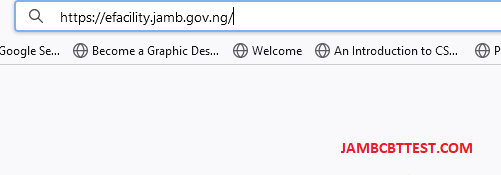
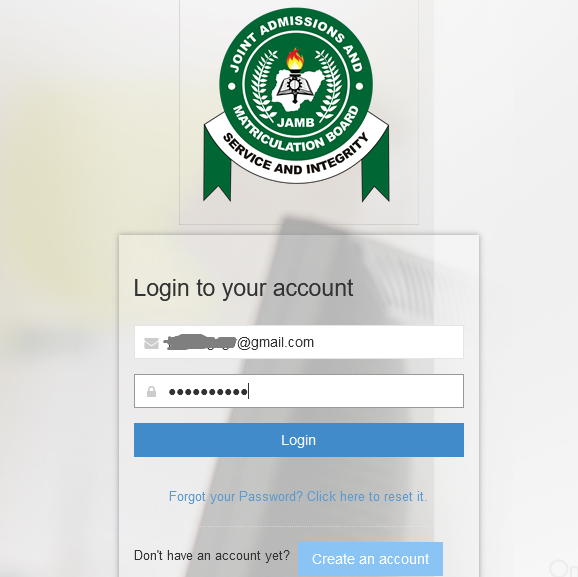
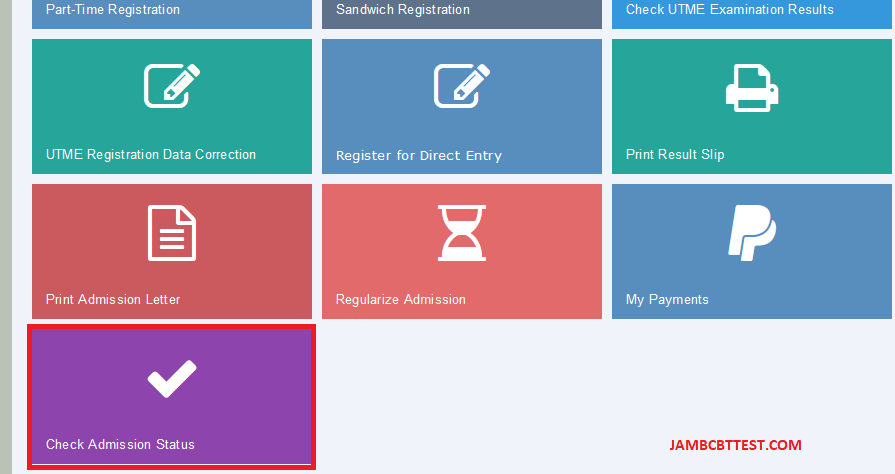
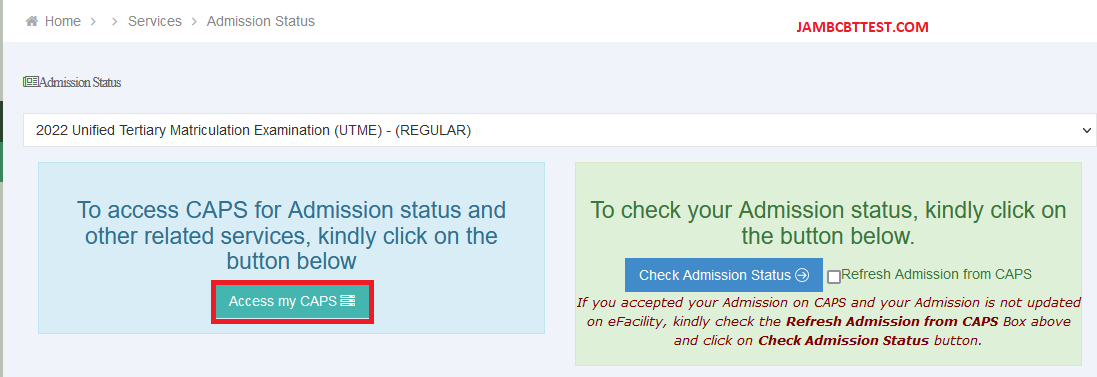
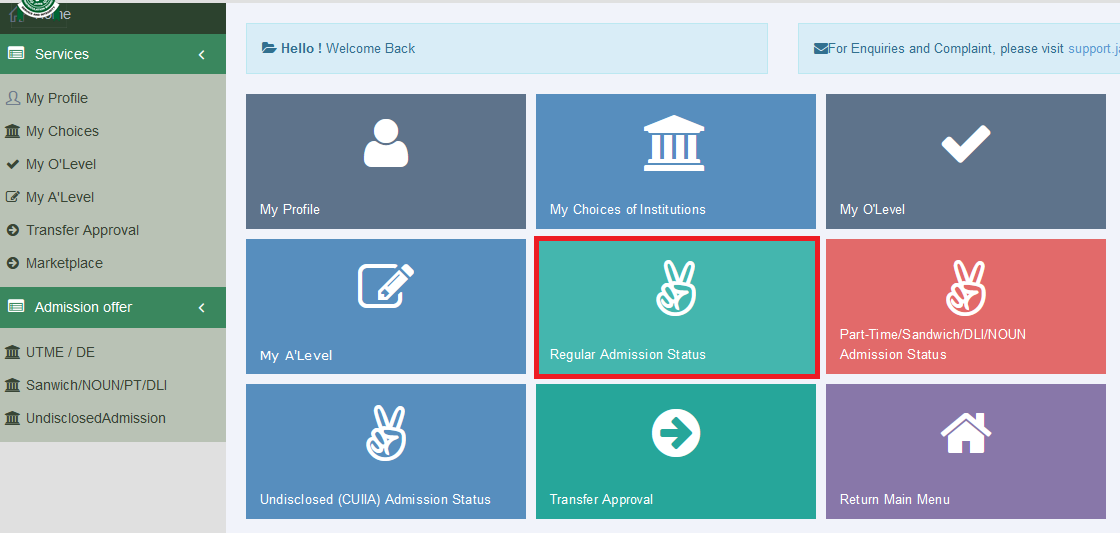
Your current status will be evident under 'Admission Profile'. You would have to either accept or reject if you have been admitted.
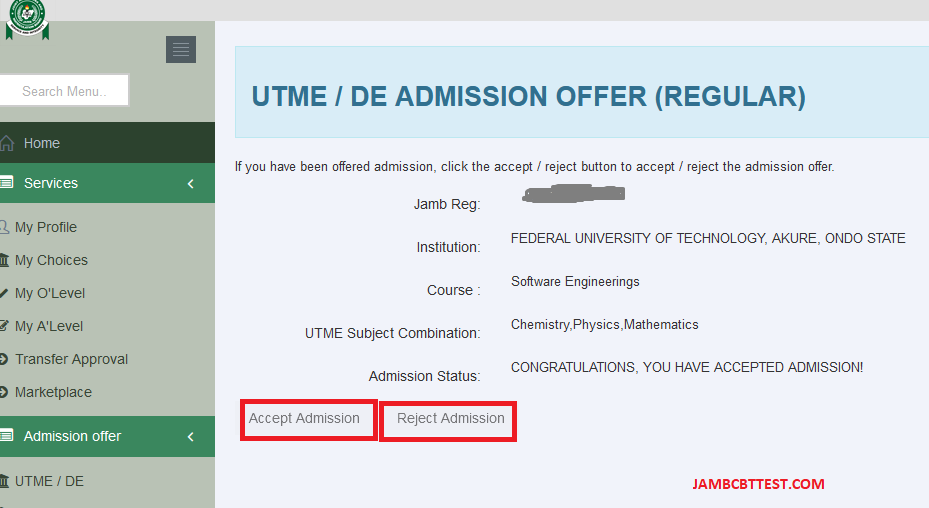
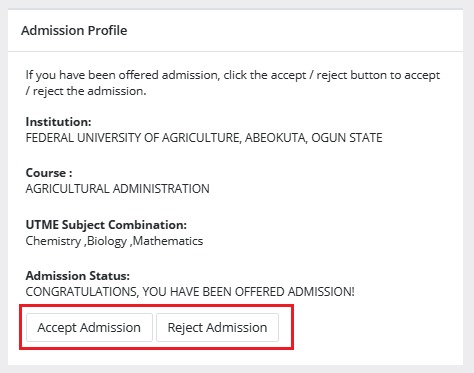
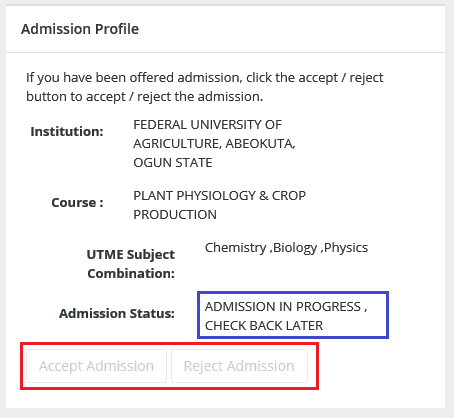
It is important to note that Admission Status detail for each candidates may be different. However, for those yet to be offered admission, consistency in checking is advised.
Practice unlimited JAMB UTME 2026/2027 CBT Past Questions for FREE
Score 260 and above in JAMB UTME 2026/2027, Download the Offline Software or Practice FREE online and beat other peoples score. The more you practice, the more your chances.
Use the JAMB interactive forum to discuss topics of interest.
You can find all the JAMB UTME 2026/2027 topics in the JAMB UTME 2026/2027 Syllabus or JAMB UTME 2026/2027 Brochure
Want to make some money by selling JAMB CBT Software? Contact us
Leave your thoughts
Don't have an account? Register
Comments (0)
Results
Get the highest score
ALHAJEEASHRAF
Average time spent: 1.98 mins
diamond111
Average time spent: 0.6 mins
emilythinted
Average time spent: 1.65 mins
akin9090
Average time spent: 0.7 mins
nwekeann
Average time spent: 67.05 mins
chibest4
Average time spent: 127.35 mins
Kosiiiicom
Average time spent: 0.27 mins
Fisayo001
Average time spent: 3.17 mins
Fisayo001
Average time spent: 0.73 mins
diamond111
Average time spent: 19.17 mins
diamond111
Average time spent: 16.58 mins
diamond111
Average time spent: 3.28 mins
diamond111
Average time spent: 0.03 mins
diamond111
Average time spent: 0 mins
diamond111
Average time spent: 0.82 mins
diamond111
Average time spent: 21.42 mins
diamond111
Average time spent: 0.03 mins
diamond111
Average time spent: 0 mins
diamond111
Average time spent: 3.28 mins
diamond111
Average time spent: 0.07 mins
2017/2018 FREE CBT PRACTICE [HOT]
A Summary of JAMB Text: The Last Days at Forcados High School
Jamb 2016: Possible Questions From The Last Days at Forcados
2016 JAMB UTME EXPO, RUNS [HOT]
JAMB UTME 2016 EXAMINATION TO BEGIN FEBRUARY 29TH - OFFICIAL
JAMB 2016 Information Centre - All you require for a successful UTME
Free JAMB past questions are available here for download!
JAMB UTME 2016 Frequently Asked Questions And Answers
JAMB SUBJECTS COMBINATION FOR SCIENCE STUDENTS
JAMB SUBJECTS COMBINATION FOR ARTS, COMMERCIAL, SOCIAL SCIENCES STUDENTS
jamb utme 2016-2018 syllabus online [all subjects]
Novel to Read for 2016 JAMB UTME General Paper
JAMB UTME 2016 Registration Statistics - Number of Candidates for each Schools
jamb utme history, structure and eligibility for the exam
how to check jamb utme 2015/2016 admission status
list of 2016/2017 jamb utme accredited registration centers and their phone numbers in the 36 states
JAMB UTME TO COMMENCE 2016/2017 SALES OF FORM AUGUST 31 - SEE PROCEDURES AND DEADLINES.
CALCULATE YOUR JAMB AND POST-UTME AGGREGATE SCORE HERE - ALL SCHOOLS
Take a comprehensive exam for FREE
Download the practice exam kit for FREE (android)